
Game engine Unity and version control system Git
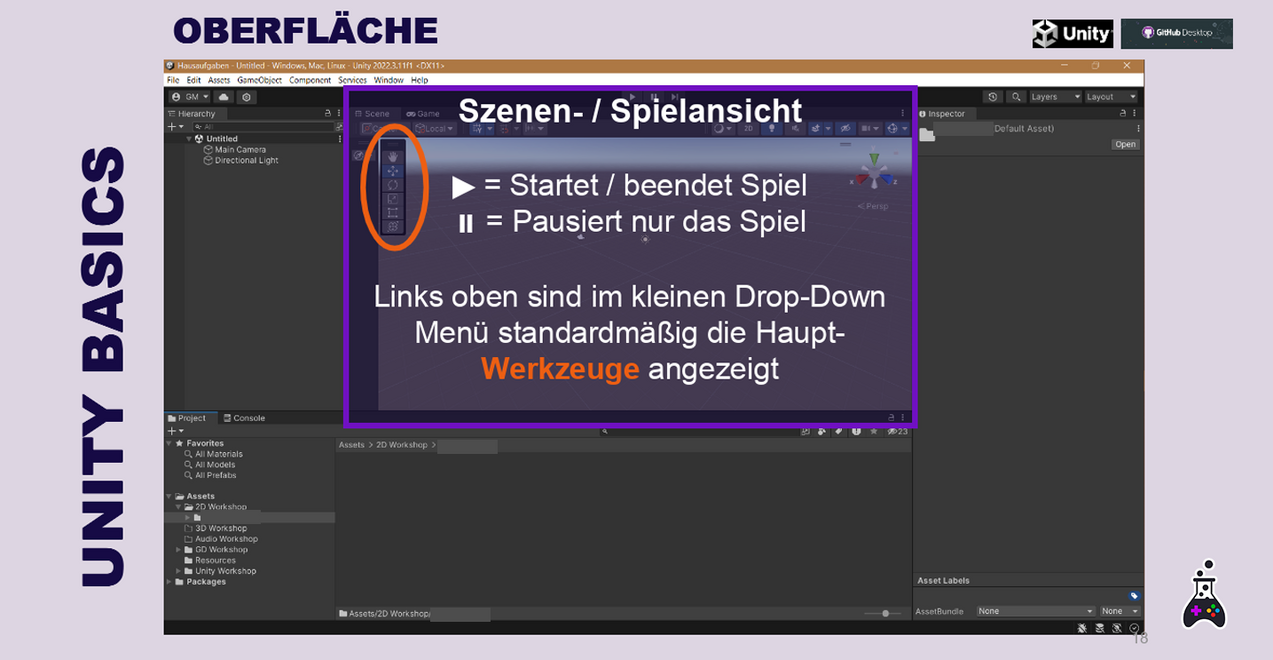
Nowadays, almost every video game requires certain components in order to function. For example, the physical collision between the player and the opponent has to be calculated or the environment has to be illuminated with complex lighting. The more complex the video games become, the more such features need to be available. Instead of reprogramming this environment for each individual video game and thus reinventing the wheel, game engines are used that provide everything you need. One such game engine is Unity.
To work together in a team on a Unity project, we have to somehow share our project with each other. You could make the project available in a simple cloud on the Internet and give all team members access to it. But then the problem arises that only one person can work on the project at a time, otherwise file conflicts would arise. The Git version control system was developed to solve this problem.
Practical development with the Unity game engine
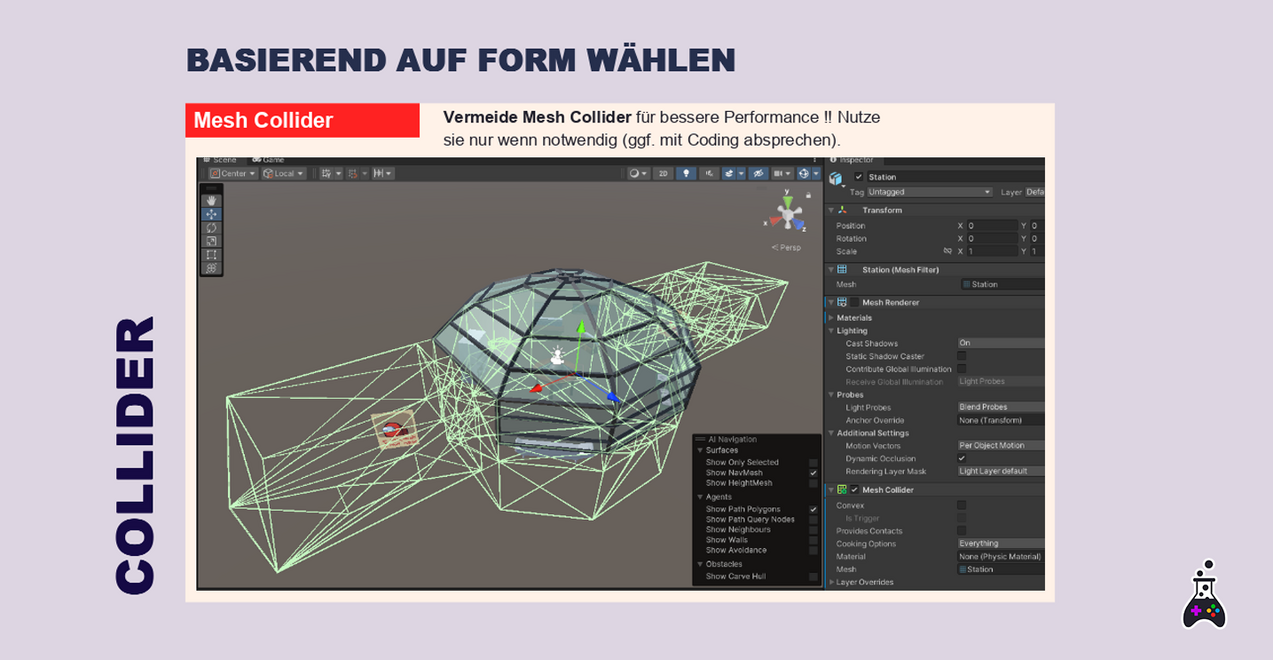
Unity divides all the features of a video game into objects and components: There are Physics components, which add physical properties to an object, Audio components, which play spatial sounds or Music on the object, and many more. In addition, every programmed script (e.g. "Player Controller") is regarded as a component. As soon as an object has been assembled from all the required components, it is saved as a prefab (= prefabricated) so that it can be easily placed in game scenes later. To insert your assets correctly, you need to understand the structure of the prefab: Which component does the player sprite belong in? Where is the audio component that needs my sound?
„I really enjoyed it. As I only had limited experience in Unity, I was a bit unsure whether I would be able to manage the free work in a project, but thanks to the basics from the workshops, this turned out to be unproblematic.”

Despite the hurdle: "Git" teaching assignment
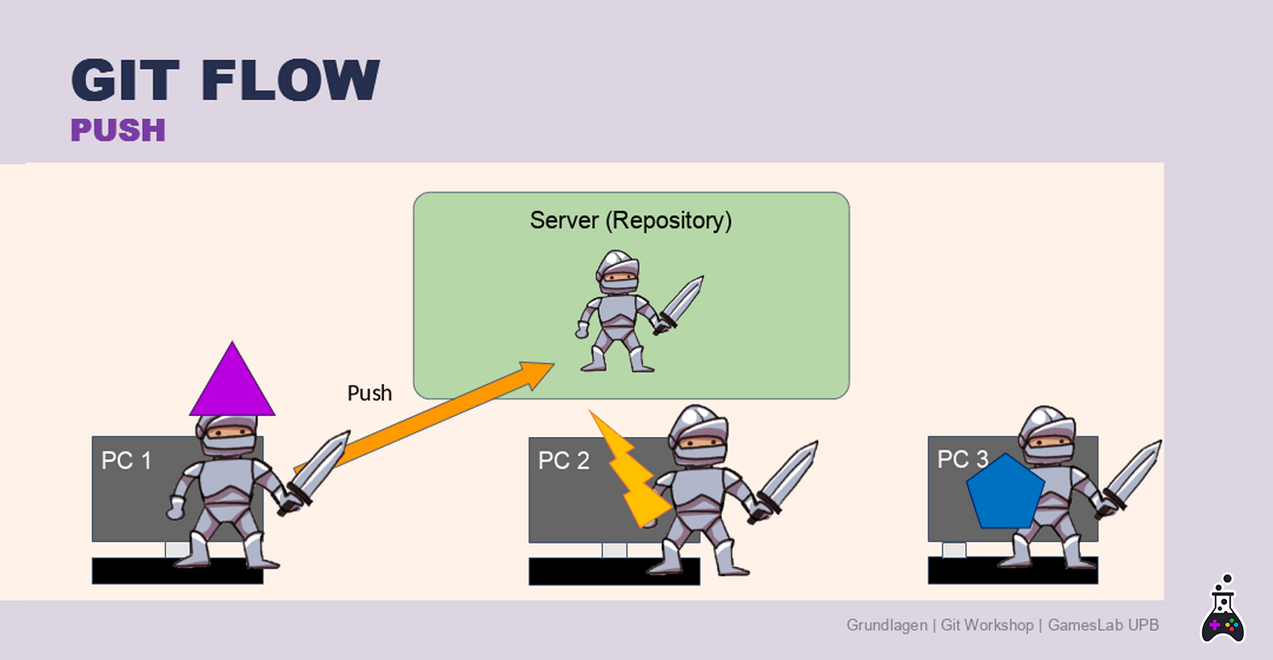
With Git, it is no longer sufficient to upload your changes without further thought. As all other project participants could potentially upload changes to the same place as you at the same time, file conflicts would arise immediately. Git implements its own workflow for this:
On the one hand, all changes to the project, known as commits, are saved. This means that you can jump back to any point in time when working on the project, the repository, and thus the project data is completely saved. When you implement a new feature, you create your own branch to which you upload your commits. A branch is a separate sequence of changes that take place independently of the main project on a copy of the main project. This prevents file conflicts. As soon as your feature has been implemented, you must merge your branch with the main branch again. You have to resolve file conflicts once during this process. If you liaise well with your team, there won't necessarily be any conflicts.
What makes learning in the GamesLab special
Active development in Unity and a growing understanding of the game engine
Even though the participants work in the engine with varying degrees of intensity, they all learn how to complete their respective subtasks in Unity. This includes, for example, opening Unity to store 2D or 3D assets and integrating them correctly before continuing with game design or coding.
Development and continuous integration with Git
All participants will learn about the Git workflow in order to work together on a project with as few errors as possible. Git may seem overwhelming for many participants at first, but it makes it much easier to develop and understand how to manage long-term projects in a team.
Not the usual "group work" but "joint development"
We divide the project into different departments. Each department has a lead person who organises communication with the game designer and the other departments. Meetings are held weekly within the departments and in the group as a whole. All participants work on shared branches and have basic knowledge of how to use Unity. Working with Git in the GamesLab enables far more flexible group work than is usually required of students.
Vocabulary list for Unity
A game engine is software that provides basic tools for the development of video games. It ensures that, for example, graphics or physics calculations are performed without having to completely reprogramme these functions.
An engine offers components for game objects, plug-ins for extended functions or the option of porting created games to consoles. Well-known game engines are, for example: Unreal, Unity, Godot or RPG Maker. At the GamesLab of Paderborn University we use the Unity Engine.
Unity has different Editor versions that are not compatible with each other. The engine is continuously updated so that different Editor versions can have new or modified functions and content. A Unity project must therefore be set to a specific Editor version before development begins and all employees must use the same version to open the project.
A "Scene" is the game environment in Unity. All GameObjects that can be seen in the game are built into scenes. A scene can be the main menu or level 1, for example. However, a scene also serves as a test location in which 2D, 3D and audio assets as well as effects and coding mechanics can be tested.
The word "prefab" is an abbreviation of the English word "prefabricated" and describes a prefabricated GameObject. This can be an asset converted from 2D or 3D. A prefab stores information for the object and all copies of it have the same properties. The advantage: if a property is changed on the prefab at one location in the game, this change can be updated for all other instances of the object.
Asset
An asset is a 2D, 3D or audio file that has been optimised for the game but is not yet in the game. An asset must be integrated into Unity after production and then converted into a GameObject before it can be used in the game.
GameObject
All objects in Unity are referred to as GameObjects. Components are attached to these, which determine the properties of the object. The objects are then inserted into scenes in order to interact with each other.
Vocabulary list for Git
In simple terms, a repository (repo) is the superordinate project in which all other information and files are stored. Working files or WorkingFiles (such as Photoshop files: background_wip.psd) can be stored within the repo and made available to all team members. For each repo, there is also the option of creating an issue board (Kanban) or a wiki via GitLab online. The Unity project is also stored in the repo.
As we are all working together on one project, we should agree on a common folder structure. Firstly, the Unity project should be completely separated from all other working files from other software. The folders should be structured based on components: A "Player" folder therefore contains all folders relating to the player, e.g. "Scripts", "Materials".
The GitFlow describes a workflow and best practices that are practised when dealing with all files and project work. We use the Git version control system and try to minimise the risk of errors and conflicts within the repo by using the correct sequence of fetch, pull, commit, push and merge processes.
The project is divided into several branches . A branch has its own version of the project. The main branch contains the latest working version of the project. The dev branch contains the current development version of the project. A feature branch is created for each new feature (e.g. "feature-enemy"). When the feature is finished, the branch is merged onto the dev branch, i.e. the dev branch receives the content of the feature branch. Finally, the dev branch can be merged into the main branch.
Example: An "Enemy Sprite" asset ideally belongs to the "feature-enemy" branch.
As Git holds multiple versions of the project and all associated folders and files, a "Git fire" can occur due to various human or technical errors. A Git fire is often triggered by an incorrectly resolved merge conflict, where the work of several people or branches can be partially lost.
To avoid Git fires as far as possible, we work with feature branches, naming conventions and practise certain workflows, as well as a GitFlow that is as clean as possible.